Learn How To Get
Started With
Classmate

Whether you're creating your first class, generating content, or refining a worksheet, you'll find the essentials right here.

Teacher with pen and whiteboard background

Quick Start Guide

Step-by-Step Walkthrough

How to create an account, complete onboarding, set up a class, and start generating and editing teaching packages.
Step 1: Create an Account

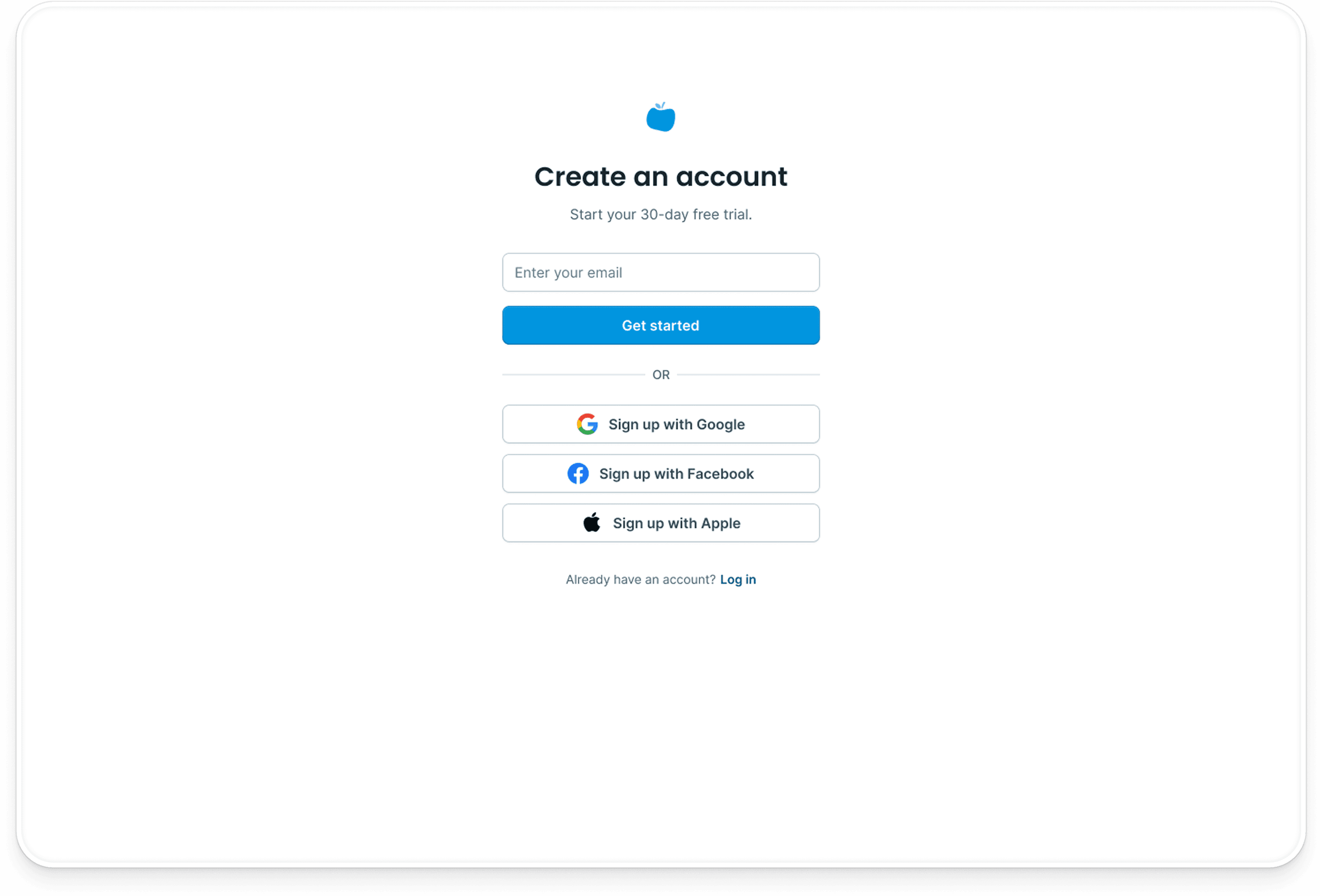
Create an account using your email address, or sign up with Google, Facebook, or Apple. Once you sign up, we'll send a verification link to your email. Make sure to check your inbox and verify your account before continuing.
Step 1: Create an Account

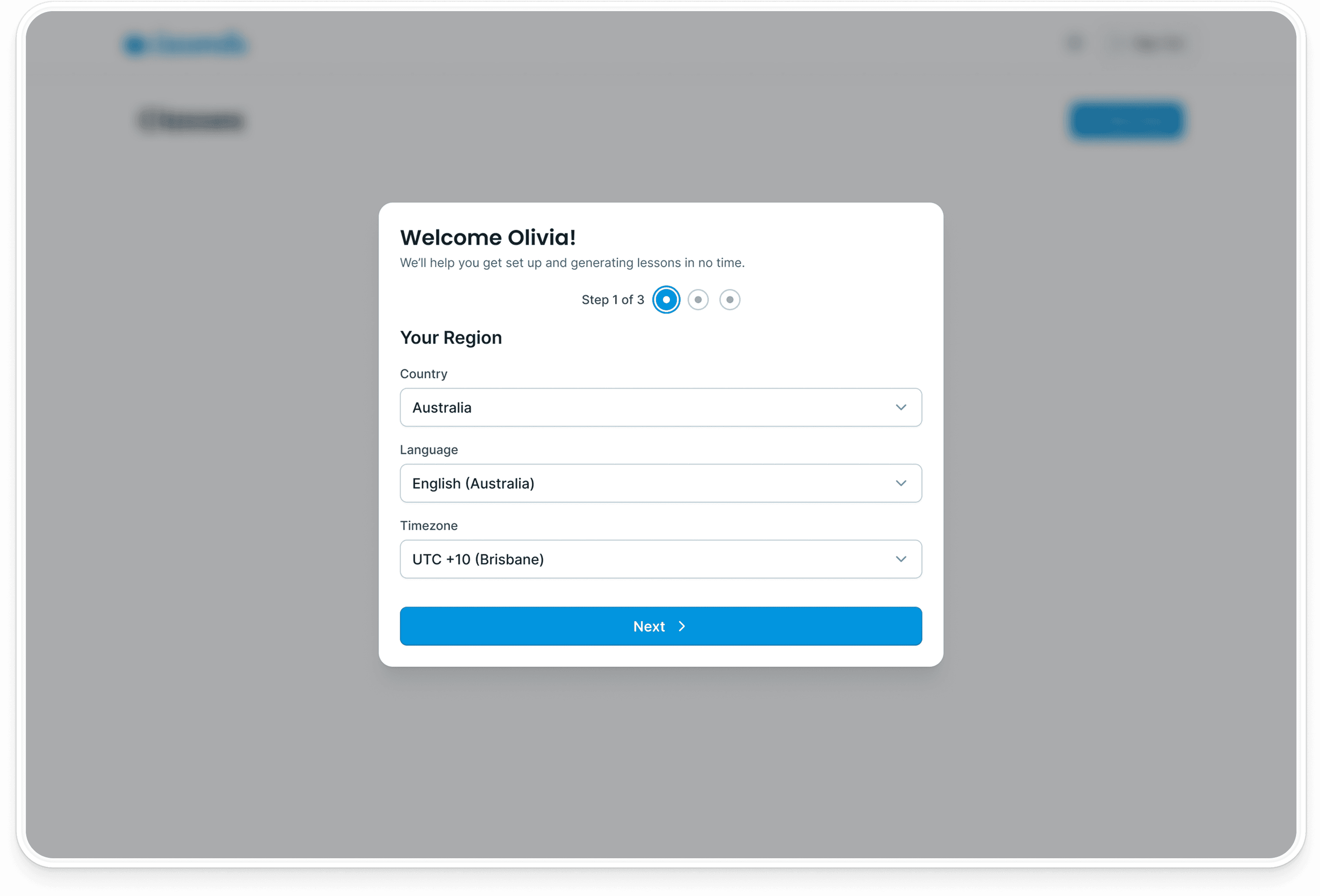
Step 2: Complete Onboarding

Classmate needs to know a few things about your teaching context to personalise your experience. You can update these details anytime under your profile settings.
  • Set your region
  • Add your school and default curriculum
  • Enter your school term/semester details
Step 2: Complete Onboarding

Step 3: Set Up Your First Class

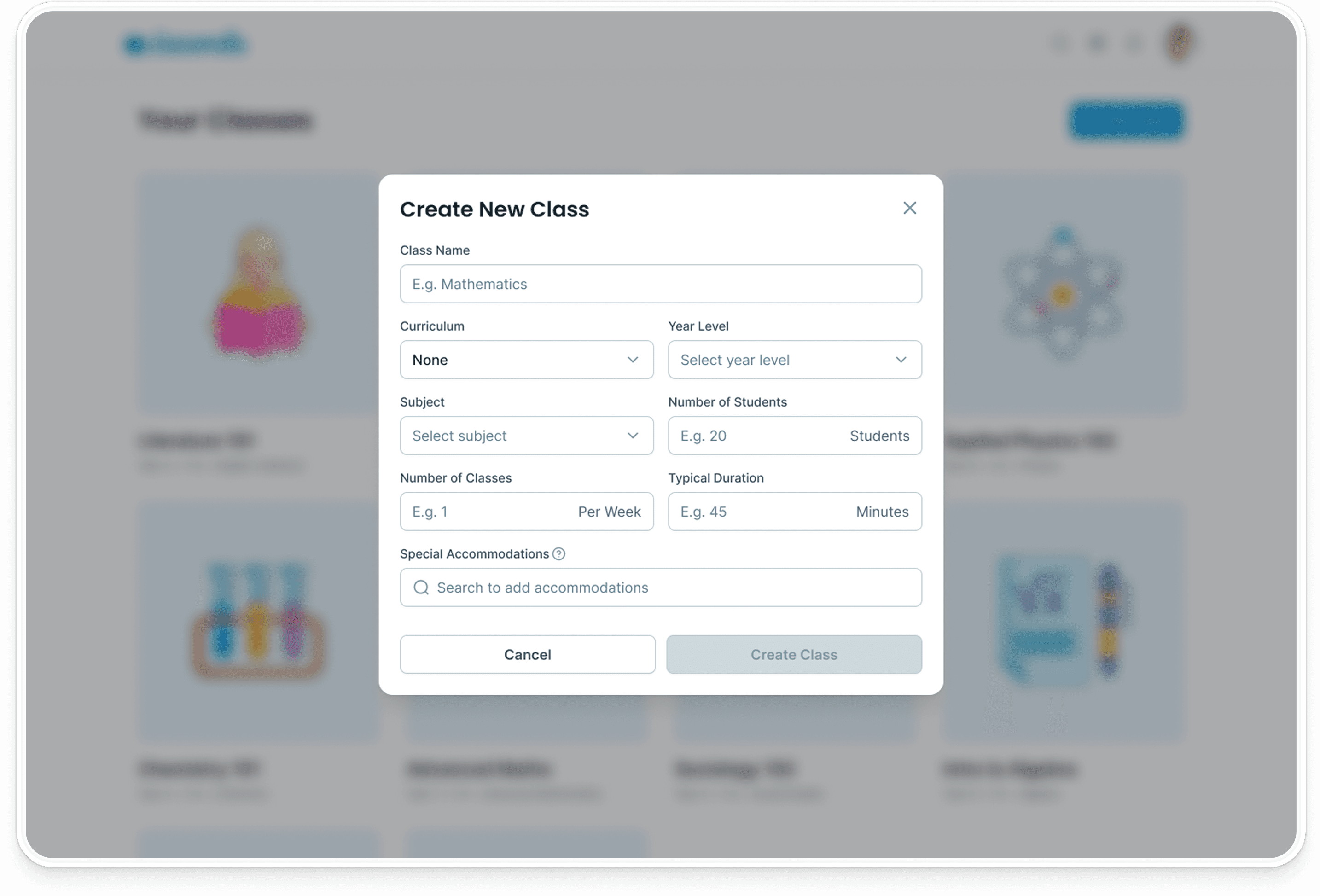
Once you’ve logged in, you’ll arrive at the classes screen. You can then create your first class by filling in a simple form.
  • Enter your class name, year level, and subject
  • Detail the number of students, duration, and frequency of lessons each week
  • Detail any student learning or support needs, as well as the related curriculum
Step 3: Set Up Your First Class

Step 4: Start Planning Lessons

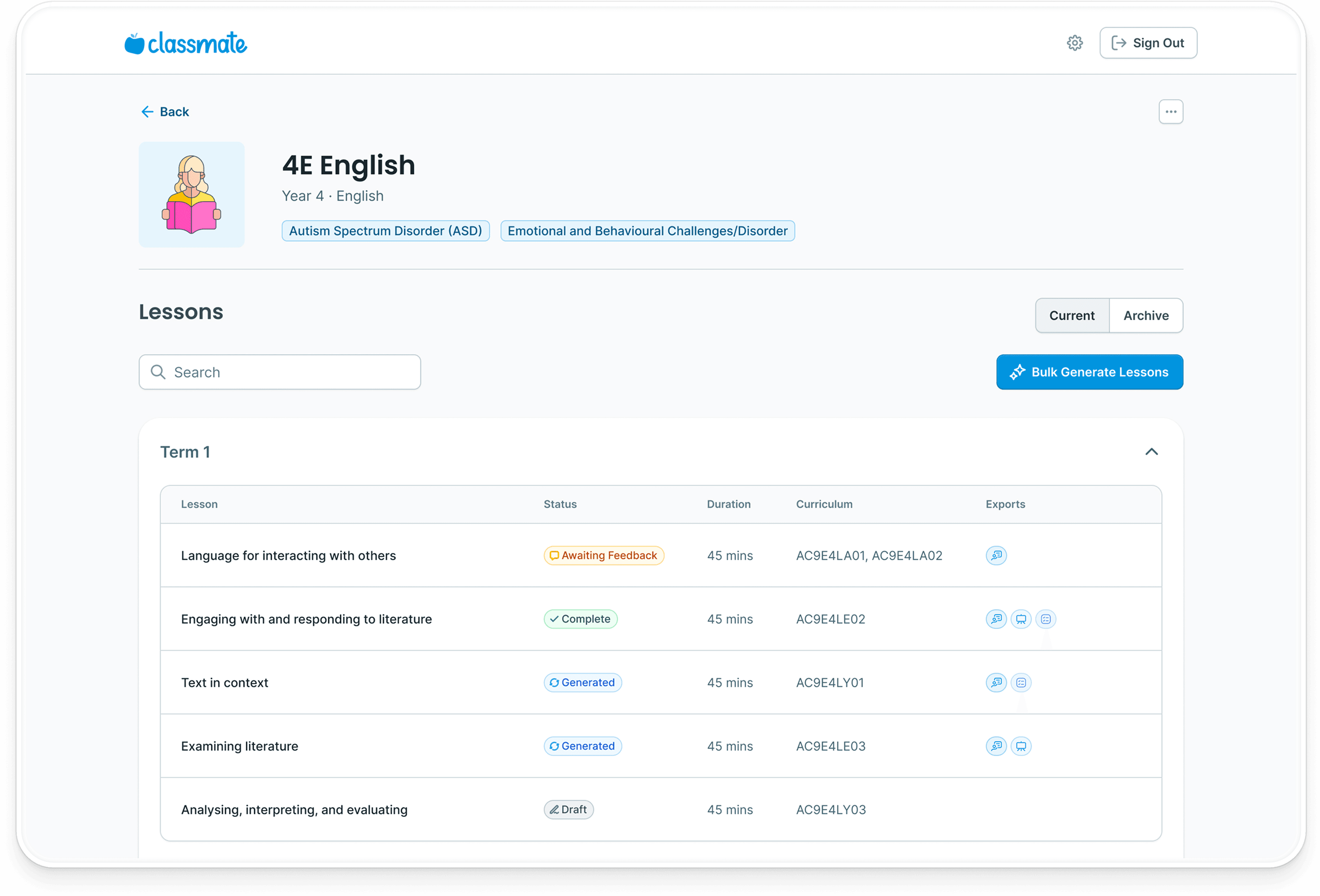
Once your class is set up, you can begin generating lessons.
  • Define participation methods, assessment type, and any materials and resources
  • Organise lessons by term/semester, including archiving unused lessons
  • Click to develop each lesson via a simple conversation with the Classmate chatbot
Step 4: Start Planning Lessons

Step 5: Generate and Edit Lessons

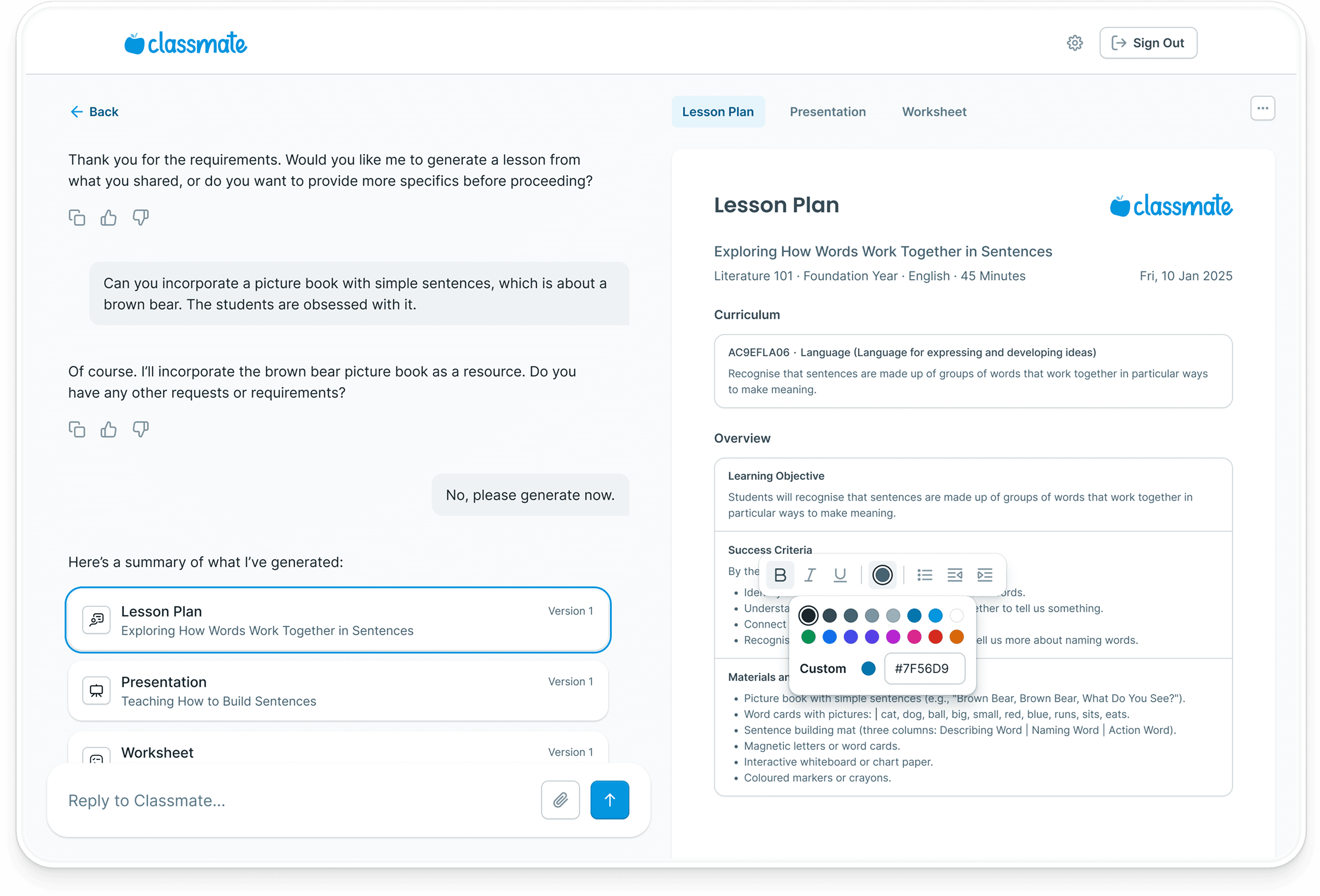
Chat with the chatbot to create and customise the lesson plan, presentation, and student worksheets around your teaching style and student needs.
  • Modify content through conversation, or by directly making edits
  • Customise the style of presentations and worksheets by choosing the template, colour palette, and typography
  • Export your final lesson package assets in PDF format, ready for printing
Step 5: Generate and Edit Lessons

Get Started

Free Yourself To Focus on the Teaching

Start for free. No credit card required.

Who classmate supports